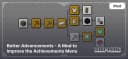
Better Advancements - A Mod to Improve the Achievements Menu
Discover Better Advancements – a mod that enhances Minecraft's achievement system with a clearer interface and detailed progress tracking.
Discover Better Advancements – a mod that enhances Minecraft's achievement system with a clearer interface and detailed progress tracking.
What is Better Advancements?
Better Advancements is a mod that improves the default Minecraft achievements menu, making it more understandable and functional. The vanilla achievements system often feels confusing and inconvenient, especially for players who want to track their progress. Better Advancements solves this problem by adding a more organized interface and new useful features.
Key Features of Better Advancements
Enhanced Interface
- The mod redesigns the appearance of the achievements menu, making it more user-friendly and intuitive.
- Achievements are now organized into categories, making navigation easier.
Detailed Information
- Hovering over an achievement displays a more comprehensive description.
- You can see what actions need to be performed to unlock the next stage.
Why Use Better Advancements?
- Convenience: Simple and intuitive interface.
- Transparency: Clear conditions for obtaining achievements.
This mod is especially useful for those who enjoy setting goals and tracking their progress in the game.
Conclusion
Better Advancements is an excellent mod for enhancing the default achievements system in Minecraft. It not only simplifies the process of tracking progress but also makes it more engaging. If you want a more visual and detailed achievements system, this mod is the perfect choice.
Published under Custom License (see description)
Installation
A typical installation takes about 5 minutes. The flow is the same; only the loader and the matching build differ.
 Installing Mods in Minecraft: A Guide for Forge, FabricLearn how to install mods in Minecraft with this step-by-step guide for Forge and Fabric. Improve your game with new features, tools, and mechanics!Open the install guide