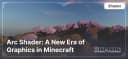
Arc Shader: A New Era of Graphics in Minecraft
Enhance Minecraft with Arc Shader: realistic lighting, shadows, reflections, and weather effects. Compatible with OptiFine and Iris.
Enhance Minecraft with Arc Shader: realistic lighting, shadows, reflections, and weather effects. Compatible with OptiFine and Iris.
Features and Advantages of Arc Shader
-
Realistic Lighting: Arc offers dynamic lighting with smooth transitions and soft shadows.
-
Enhanced Shadows: Deep and natural shadows give the game world volume and realism.
-
Detailed Reflections: Water and glass surfaces reflect the surrounding world with high precision.
-
Realistic Water: Water appears lively with waves, reflections, and transparency.
-
Weather Effects: Rain, fog, and sun glare are meticulously crafted, creating an immersive experience.
-
Flexible Settings: Arc offers both ready-made presets and fine-tuning options.
Compatibility with Minecraft Versions and Platforms
Arc Shader supports Minecraft versions from 1.16 to 1.20 and is compatible with popular modding platforms:
-
OptiFine – full support for optimization and flexible settings.
-
Iris – compatibility ensured for Fabric.
-
Forge and NeoForge – limited support via third-party tools.
Differences Between Arc Shader and Other Shaders
Arc Shader stands out from competitors with its balance between graphics quality and performance. Unlike heavy shaders like SEUS PTGI, Arc offers high-quality lighting and effects with less system load. It also provides extensive customization options, making it a versatile solution for different PC types.
Comparison Table: Arc vs. Other Shaders
| Parameter | Arc Shader | SEUS PTGI | BSL Shader |
|---|---|---|---|
| Minecraft Version | 1.16 - 1.20 | 1.16 - 1.19 | 1.12 - 1.20 |
| Performance | Mid/High-end PC | High-end PC | Mid-range PC |
| Lighting Quality | Realistic, soft | Ray tracing | Bright, saturated |
| Water Realism | Waves, reflections | Photorealism | Detailed |
| Weather Effects | Rain, fog, glare | Realistic | Moderate effects |
| Mod Compatibility | OptiFine, Iris | OptiFine | OptiFine, Iris |
| Customization Flexibility | High | Medium | High |
| Features | Balance of quality and performance | Ray tracing | Bright colors and soft lighting |
FAQ: Frequently Asked Questions
1. Why does Minecraft crash when launching with Arc Shader?
-
Check OptiFine or Iris version compatibility with the shader version.
-
Ensure your graphics drivers are up to date.
2. How to improve performance with Arc Shader?
-
Lower render distance and disable unnecessary effects in the shader settings.
-
Use optimized presets.
3. Does Arc Shader work with mods?
-
Yes, the shader is fully compatible with OptiFine and Iris, allowing use with most popular mods.
4. Is Arc Shader suitable for low-end PCs?
-
For low-end PCs, it is recommended to use lightweight settings or choose a less demanding shader.
Published under MIT License
Installation
A typical installation takes about 5 minutes. The flow is the same; only the loader and the matching build differ.
 How to Install Shaders in MinecraftFind out how to install shaders in Minecraft with a simple guide. Improve lighting, shadows, and reflections for better visuals.Open the install guide