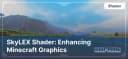
SkyLEX: Enhancing Minecraft Graphics
SkyLEX Shader transforms Minecraft with realistic lighting, shadows, water, and weather effects. Optimized for Java Edition and compatible w
SkyLEX Shader transforms Minecraft with realistic lighting, shadows, water, and weather effects. Optimized for Java Edition and compatible with popular mods.
Main Features of the SkyLEX Shader
Advantages
-
High Performance: The shader is optimized to run even on medium and low-end PCs.
-
Realistic Effects: Improved shadows, lighting, and reflections make the Minecraft world more vibrant.
-
Support for Modern Technologies: Full compatibility with mods like OptiFine and Iris.
What SkyLEX Improves
-
Lighting: Adds soft light transitions, realistic shadows, and brightness close to real-world conditions.
-
Realistic Water: Dynamic waves, reflections, and transparency make water in Minecraft truly beautiful.
-
Weather Effects: Rain, fog, and sun glares look natural and enhance the game’s atmosphere.
-
Night Lighting: A starry sky and soft moonlight create an impressive nighttime ambiance.
Compatibility
The SkyLEX Shader supports the following platforms and Minecraft versions:
-
Minecraft Versions: 1.16 — 1.20+.
-
Launchers: Compatible with Forge, NeoForge, and Fabric.
-
Mods: Fully functional with OptiFine, Iris, and other popular graphic mods.
What Makes SkyLEX Stand Out
SkyLEX combines high-quality graphics with excellent optimization. Unlike more resource-intensive shaders, it’s perfect for players with various PC configurations. Additionally, SkyLEX offers extensive customization options, allowing you to tailor the shader to your needs.
Shader Comparison Table
| Feature | SkyLEX | SEUS PTGI | BSL Shaders |
|---|---|---|---|
| Minecraft Version | 1.16—1.20+ | 1.16—1.20+ | 1.16—1.20+ |
| Performance | Medium and low-end PCs | High-end PCs | Medium PCs |
| Lighting Quality | Realistic, soft | Ray tracing | Brightness, saturation |
| Water Realism | Transparency, waves | Maximum detail | Dynamic reflections |
| Weather Effects | Rain, glare, fog | Realistic rain | Soft fog |
| Mod Compatibility | OptiFine, Iris | OptiFine | OptiFine, Iris |
| Customization Options | Flexible parameters | Minimal settings | Moderate settings |
| Key Features | High optimization | RTX support | Popularity among players |
Frequently Asked Questions (FAQ)
1. Why does the game freeze when using SkyLEX?
Solution: Check the graphics settings. Ensure your PC meets the minimum requirements and try lowering the shader’s parameters.
2. How do I configure the shader for a low-end PC?
Solution: In the shader settings menu, reduce lighting quality and disable complex effects like volumetric clouds or dynamic reflections.
3. SkyLEX conflicts with other mods. What should I do?
Solution: Ensure you’re using compatible versions of OptiFine or Iris. Check all installed mods for compatibility with your Minecraft version.
4. Is SkyLEX compatible with Minecraft Bedrock Edition?
Answer: Unfortunately, SkyLEX is only available for Java Edition.
Published under All Rights Reserved (free distribution allowed)
Installation
A typical installation takes about 5 minutes. The flow is the same; only the loader and the matching build differ.
 How to Install Shaders in MinecraftFind out how to install shaders in Minecraft with a simple guide. Improve lighting, shadows, and reflections for better visuals.Open the install guide