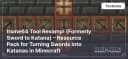
Itsme64 Tool Revamp! (Formerly Sword to Katana) – Resource Pack for Turning Swords into Katanas in Minecraft
Sword to Katana – A resource pack that replaces standard Minecraft swords with elegant katanas and updates tool textures, making them more r
300views2 min
Sword to Katana – A resource pack that replaces standard Minecraft swords with elegant katanas and updates tool textures, making them more refined and stylish
Main Features
Weapon Texture Replacement:
- All swords are transformed into sleek and elegant katanas.
- Supports all material types: wood, stone, iron, gold, diamond, and netherite.
Revamped Tools:
- Shovels, pickaxes, axes, and hoes now feature stylish designs.
- Tools remain functional and easily recognizable.
High-Quality Textures:
- Textures up to 1024x resolution for maximum detail.
- Works well with shaders to enhance the look of weapons and tools.
Compatibility
- Minecraft Versions: The resource pack supports versions from 1.19 to 1.21.4.
- Requirements: No additional mods are required, but it is fully compatible with OptiFine for enhanced texture rendering.
Comparison with Alternatives
| Feature | Sword to Katana | Vanilla Tweaks | Epic Weapons Pack |
|---|---|---|---|
| Theme | Japanese katanas and tools | Small vanilla texture tweaks | Unique weapon models |
| Texture Resolution | Up to 1024x | 16x | 512x |
| Compatibility | 1.19–1.21.4 | 1.13–1.21 | 1.16–1.21 |
FAQ
- Can Sword to Katana be used without OptiFine? Yes, the resource pack works without OptiFine, but textures look better with it.
- What is the design style of the katanas? The katanas feature a minimalist style that fits perfectly into Minecraft's classic world.
- Is the resource pack multiplayer-compatible? Yes, the pack is fully compatible with multiplayer servers.
Conclusion
Sword to Katana is a perfect choice for players who want to add refined Japanese-style weapons to Minecraft. With high-quality textures and compatibility with the latest versions of the game, this resource pack is a fantastic addition to any Minecraft world.
Published under All Rights Reserved (free distribution allowed)
Installation
A typical installation takes about 5 minutes. The flow is the same; only the loader and the matching build differ.
 How to Install a Texture Pack in MinecraftLearn how to install a texture pack in Minecraft with a simple step-by-step guide. Personalize your game with ease.Open the install guide