SpawnerMeta – Spawner Upgrades and Entity Type Switching
Customize Minecraft spawners with SpawnerMeta: change mobs, upgrade stats, add features. Supports GUI control and custom entities.
Customize Minecraft spawners with SpawnerMeta: change mobs, upgrade stats, add features. Supports GUI control and custom entities.
Changing the Entity Type
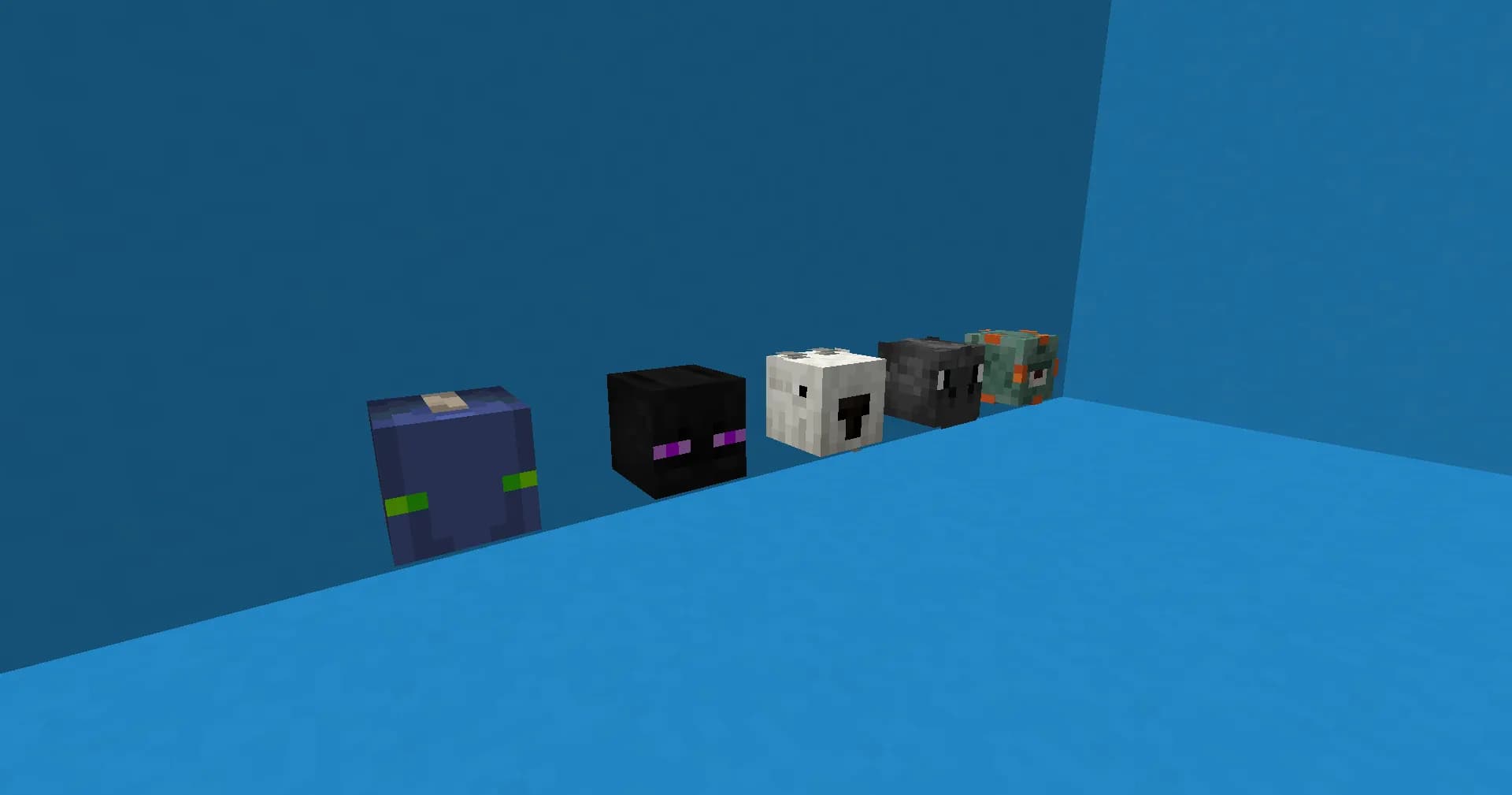
SpawnerMeta allows you to switch the type of entity a spawner produces. You can do this with a command or an interactive menu. For example, you can turn a Zombie spawner into a Witch or Skeleton spawner.
The plugin supports both vanilla and custom mobs (added through a datapack or another plugin).
If you like, you can require certain resources or conditions for the switch. This ties the feature into your server economy or lets you use it as a reward.
Spawner Upgrades
Every spawner can be upgraded to make it work better.
You can improve:
- Spawn speed (shorter delay between waves)
- Mobs per wave
- Spawner activation radius
- Maximum mobs nearby
- Resistance to breaking (for example, make it unbreakable with a pickaxe)
Upgrades can cost resources, money (through an Economy API), or a custom currency. This fits well on servers that use leveling, clicking, or other active mechanics.
Menu Configuration
An easy GUI menu lets players:
- View the spawner’s current stats
- Change the mob type
- Buy upgrades
- See upgrade prices
Open the menu by right‑clicking with a specific item (usually a spawn egg or a special tool). You can change this in the config.
Additional Features
- Bind a spawner to an owner
- Anti‑grief and privacy settings
- Integration with WorldGuard and many other plugins
- Flexible permission system
These features make SpawnerMeta a great fit for RPG, Skyblock, and many other game modes.
Plugin Commands
| Command | Permission | Description |
|---|---|---|
/spawnerview |
spawnermeta.command.view |
View all spawners and their stats |
/spawnershop |
spawnermeta.command.shop |
Open the shop to buy spawners |
/spawnerdrops |
spawnermeta.command.drops |
Retrieve drops if a spawner overflowed while your inventory was full |
/spawnerlocations |
spawnermeta.command.locations |
See every placed spawner |
/spawnertrust |
spawnermeta.command.trust |
Manage the trusted‑players list for spawners |
/sm or /spawnermeta |
spawnermeta.sm |
Access all plugin functions through subcommands |
/sm update |
- |
Update plugin components |
/sm update #all |
- |
Update everything: config, language, spawners, shop |
/sm update configuration |
- |
Update the configuration file |
/sm update language |
- |
Update the language file |
/sm update spawners |
- |
Update all spawners |
/sm update shop |
- |
Update the spawner shop |
/sm give [entity^] [amount*] [player?] [value?] |
- |
Give spawners to a player with chosen settings |
/sm modify |
- |
Modify the selected spawner |
/sm modify type [entity^] |
- |
Change the mob type inside a spawner |
/sm modify stack [(+/-) value*] |
- |
Change the spawner stack size |
/sm modify entities [(+/-) value*] |
- |
Change the number of entities spawned |
/sm modify charges [(+/-) value*] |
- |
Change the number of charges |
/sm location |
- |
Open the spawner location menu |
/sm location view [player^] [world^?] |
- |
View a player’s spawner placements by world |
/sm location validate [player^] [world^?] |
- |
Validate and remove invalid spawner locations |
/sm location clear [player^] [world^?] |
- |
Clear all placed spawner locations |
/sm active [world^] |
- |
See how many spawners are active in a world |
/sm disable [true/false] |
- |
Enable or disable mob spawning |
/sm version |
- |
Show the current plugin version |
Plugin Permissions
| Permission | Description |
|---|---|
spawnermeta.eggs |
Allows changing the spawner type with a spawn egg |
spawnermeta.stacking |
Allows spawner stacking |
spawnermeta.place |
Allows placing spawners |
spawnermeta.break |
Allows breaking spawners |
spawnermeta.unbreakable.bypass |
Bypass the unbreakable‑spawner restriction |
spawnermeta.breaking.bypass.silktouch |
Bypass the Silk Touch requirement when breaking |
spawnermeta.upgrades.open |
Allows opening the spawner upgrade menu |
spawnermeta.upgrades.buy |
Allows buying spawner upgrades |
spawnermeta.shop.buy.open |
Allows opening the spawner‑buy shop |
spawnermeta.shop.buy.purchase |
Allows purchasing spawners in the shop |
spawnermeta.shop.sell.open |
Allows opening the spawner‑sell shop |
spawnermeta.shop.selection.open |
Allows opening the spawner shop selector |
spawnermeta.ownership.bypass.limit |
Bypass a player’s spawner ownership limit |
spawnermeta.ownership.bypass.breaking |
Allows breaking another player’s spawners |
spawnermeta.ownership.bypass.stacking |
Allows stacking another player’s spawners |
spawnermeta.ownership.bypass.changing |
Allows changing mob type in another player’s spawner |
spawnermeta.ownership.bypass.interact |
Allows interacting with another player’s spawners |
spawnermeta.ownership.bypass.upgrading |
Allows upgrading another player’s spawners |
spawnermeta.natural.bypass.breaking |
Allows breaking natural spawners |
spawnermeta.natural.bypass.stacking |
Allows stacking natural spawners |
spawnermeta.natural.bypass.changing |
Allows changing mob type in natural spawners |
spawnermeta.natural.bypass.interact |
Allows interacting with natural spawners |
spawnermeta.natural.bypass.upgrading |
Allows upgrading natural spawners |
Conclusion
SpawnerMeta is a powerful tool for spawner management. It gives players more control and server admins lots of flexibility.
With its upgrade system and entity switching, spawners become a full part of your server’s progression and economy.
Installation
A typical installation takes about 5 minutes. The flow is the same; only the loader and the matching build differ.
 How to Install a Plugin on a Minecraft ServerLearn how to install a plugin on a Minecraft server. Follow this guide to add new features, improve gameplay, and customize your server easily.Open the install guide
Gallery
Found: 4