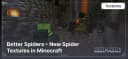
Better Spiders – New Spider Textures in Minecraft
Better Spiders adds 48 biome-based spider textures and random cave spider variations to Minecraft.
Better Spiders adds 48 biome-based spider textures and random cave spider variations to Minecraft.
New Spider Variants
With the Better Spiders pack installed, you will encounter spiders of different colors and types, corresponding to various biomes. A total of 48 new spider variants have been added, including:
- Arctic Spiders: 5 variants
- Taiga Spiders: 5 variants
- Regular Spiders: 10 variants
- Swamp Spiders: 5 variants
- Jungle Spiders: 5 variants
- Desert Spiders: 5 variants
- Cave Spiders: 12 random variants
- Rare Spiders: 3 unique variants
These changes affect both regular and cave spiders, giving them unique textures and models.
Texture Pack Features
-
Biome-Dependent Variants: Spiders change their colors depending on the biome, making them blend more naturally into their environment. In deserts, they take on sandy tones, in snowy biomes, they appear light blue, and in forests, they are darker with greenish hues. This adds realism to the game and makes spiders less repetitive.
-
Randomized Variations: Cave spiders now come with random patterns, shades, and eye shapes. Some are darker, while others have unusual spots or even glowing elements. This makes every encounter with them unique, adding more variety to underground exploration.
-
Rare Species: Extremely rare and featuring unique colorations such as red, blue, or even glowing variations. These spiders look especially impressive in dark caves, and their rarity makes encountering them a memorable event.
Conclusion
The Better Spiders texture pack greatly enhances Minecraft's visual experience by adding diversity to spider appearances. Biome-dependent textures, random variations, and rare species make the game world feel more alive and engaging. This texture pack is perfect for players who want to refresh mob appearances without drastically altering the game's original style.
Published under All Rights Reserved (free distribution allowed)
Installation
A typical installation takes about 5 minutes. The flow is the same; only the loader and the matching build differ.
 How to Install a Texture Pack in MinecraftLearn how to install a texture pack in Minecraft with a simple step-by-step guide. Personalize your game with ease.Open the install guide
Gallery
Found: 16