Default+ 16x – Enhanced Vanilla Textures for Minecraft
Default+ 16x improves Minecraft's vanilla textures with subtle enhancements. Enjoy better details while keeping the original game's visual…
Default+ 16x improves Minecraft's vanilla textures with subtle enhancements. Enjoy better details while keeping the original game's visual style.
Features of Default+ 16x
Key Highlights
- Resolution: 16x16 (same as vanilla, ensuring seamless integration).
- Style: Enhanced vanilla aesthetics with smoother textures and better details.
- Compatibility: Works flawlessly with Minecraft versions from 1.12 to 1.20+.
- Performance: Highly optimized for smooth gameplay on most systems, including low-end PCs.
- Shaders: Fully compatible with popular shaders like SEUS, BSL, and Continuum, enabling more realistic lighting and shadows.
Overview of Textures
Blocks
Default+ 16x refines the iconic blocks of Minecraft, improving their clarity and design without altering their recognizable appearance. The result is a visually pleasing experience that feels fresh yet familiar, making it ideal for large builds and survival worlds.
Mobs
Mob textures in Default+ 16x maintain the essence of vanilla Minecraft but with subtle improvements. Enhanced shading and detail make mobs more lifelike while staying true to their original charm.
Biomes
This texture pack brings an upgraded look to Minecraft’s biomes. Grass, trees, and other natural elements are slightly reworked for a more immersive environment, adding depth and vibrancy to forests, deserts, and other landscapes.
Key Features of Default+ 16x
- Improved Visuals: Enhanced textures for blocks, mobs, and natural elements while preserving the vanilla style.
- Highly Compatible: Functions seamlessly across all supported versions of Minecraft.
- Shader Support: Works beautifully with popular shader packs to enhance lighting and shadow effects.
- Minimal Performance Impact: Maintains stable FPS even on lower-end devices, perfect for a broad range of players.
- Subtle Animations: Smooth animations for water, fire, and foliage for added immersion.
Comparison with Other Texture Packs
| Feature | Default+ 16x | Faithful 32x | LB Photo Realism 256x |
|---|---|---|---|
| Resolution | 16x16 | 32x32 | 256x256 |
| Performance | High | Medium | Low |
| Style | Vanilla Enhanced | Detailed Vanilla | Photorealistic |
| System Requirements | Minimal | Moderate | High |
Optimization Tips for Default+ 16x
To get the best experience with Default+ 16x, follow these recommendations:
- Adjust Graphics Settings:
- Set graphics to "Fancy" for the best visual quality.
- Enable smooth lighting for softer shadows and transitions.
- Use Shaders: Pair Default+ 16x with shader packs like SEUS or BSL to enhance lighting and add depth to your world.
- Install OptiFine: OptiFine allows for finer adjustments to graphics settings and boosts FPS, making the game run smoothly even with additional mods.
Conclusion
Default+ 16x is the perfect blend of tradition and improvement, catering to a wide audience of Minecraft players. Whether you’re a builder crafting intricate structures, an adventurer exploring vast biomes, or a PvP player seeking a clean interface and high FPS, this texture pack has something for everyone.
Final Thoughts
If you want to experience Minecraft with upgraded visuals while maintaining the familiar feel of the vanilla game, Default+ 16x is a fantastic option. Its subtle yet impactful enhancements make it suitable for all types of gameplay and systems.
Published under All Rights Reserved (free distribution allowed)
Installation
A typical installation takes about 5 minutes. The flow is the same; only the loader and the matching build differ.
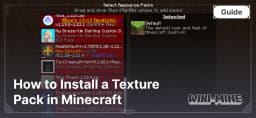 How to Install a Texture Pack in MinecraftLearn how to install a texture pack in Minecraft with a simple step-by-step guide. Personalize your game with ease.Open the install guide
Gallery
Found: 66