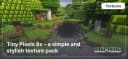
Tiny Pixels 8x – a simple and stylish texture pack
Tiny Pixels 8x is a lightweight Minecraft texture pack with a pixelated design. Simple visuals and optimized performance for better…
Tiny Pixels 8x is a lightweight Minecraft texture pack with a pixelated design. Simple visuals and optimized performance for better gameplay.
Tiny Pixels 8x Features
Key Highlights
- Resolution: 8x8 (low, suitable for most systems).
- Style: Minimalistic with vibrant and clean textures.
- Compatibility: Supports Minecraft versions from 1.12 to 1.20+.
- Performance: Optimized for low-end devices and laptops.
- Shaders: Compatible with popular shaders (SEUS, BSL) to enhance lighting and shadow effects.
Texture Overview
Blocks
Tiny Pixels 8x simplifies the appearance of standard blocks while retaining their recognizable features. The blocks appear flat yet sufficiently detailed, making them ideal for building houses or complex structures.
Mobs
Mobs in Tiny Pixels have a friendlier appearance thanks to softer lines and reduced details. This style is perfect for those who enjoy creating cozy worlds.
Biomes
Nature in Tiny Pixels retains the original Minecraft atmosphere. Forests, mountains, and plains appear less cluttered, providing a cleaner visual experience.
Key Features of Tiny Pixels 8x
- Improved Textures: Simple, minimalistic designs for blocks and mobs.
- High Performance: Perfect for low-end PCs due to its low resolution.
- Ease of Use: A clean and straightforward visual style.
- Shader Compatibility: Works seamlessly with SEUS and BSL shaders for dynamic lighting and realistic shadows.
- Optimization: Fast texture loading and stable FPS even in large, populated worlds.
Comparison with Other Texture Packs
| Feature | Tiny Pixels 8x | Faithful 32x | LB Photo Realism 256x |
|---|---|---|---|
| Resolution | 8x8 | 32x32 | 256x256 |
| Performance | High | Medium | Low |
| Style | Minimalistic | Classic | Photorealistic |
| System Requirements | Minimal | Moderate | High |
Optimization Tips and Tricks
To maximize performance and enjoy the best experience with Tiny Pixels 8x, follow these tips:
- Minecraft Graphics Settings:
- Set graphics to "Fast."
- Disable shadows and smooth lighting.
- Use Shaders: Try SEUS or BSL to add depth without straining your system.
- Mods: Install OptiFine for fine-tuned graphics settings and enhanced FPS.
Conclusion
Tiny Pixels 8x is an excellent choice for players who value performance and minimalism. This texture pack is ideal for:
- Builders creating intricate structures.
- RPG enthusiasts who prioritize a clean interface.
- PvP players needing high frame rates.
Final Thoughts
If you’re looking for a lightweight and stylish texture pack, Tiny Pixels 8x is a fantastic choice for all Minecraft versions. Its minimalism, performance, and shader compatibility make it a versatile tool for every type of player.
Published under Creative Commons Attribution Non Commercial 4.0
Installation
A typical installation takes about 5 minutes. The flow is the same; only the loader and the matching build differ.
 How to Install a Texture Pack in MinecraftLearn how to install a texture pack in Minecraft with a simple step-by-step guide. Personalize your game with ease.Open the install guide
Gallery
Found: 72