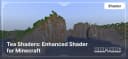
Tea Shaders: Enhanced Shader for Minecraft
Tea Shaders – optimized shaders for Minecraft with enhanced lighting, realistic colors, and smooth shadows for a better visual experience.
Tea Shaders – optimized shaders for Minecraft with enhanced lighting, realistic colors, and smooth shadows for a better visual experience.
Main Features of Tea Shaders
1. Classic Style with Modern Effects
The shader enhances lighting and adds soft shadows, maintaining the familiar vanilla style of Minecraft. This makes the game world more vibrant without altering its fundamental aesthetic.
2. Realistic Water
Bodies of water receive an updated look with gentle waves and natural reflections, making landscapes more detailed.
3. Subtle Atmospheric Effects
The shader includes improved weather effects, such as fog, which add depth and dynamics to the game world.
4. Compatibility with Texture Packs
Tea Shaders work seamlessly with various texture packs, allowing players to customize the game's appearance to suit their preferences.
Comparison Between Tea Shaders and Beyond Belief Shaders
| Feature | Tea Shaders | Beyond Belief Shaders |
|---|---|---|
| Performance | High | Moderate |
| Water Realism | Moderate | High |
| Lighting Effects | Moderate | Maximum |
| Support for Low-End Devices | Yes | No |
Who Are Tea Shaders For?
- For Lovers of Vanilla Style: This shader adds modern effects while preserving Minecraft's classic look.
- For Players with Various Systems: High optimization allows the shader to run smoothly even on older devices.
- For Those Seeking Subtle Enhancements: Tea Shaders add details without making drastic changes.
Previously known as "BeyondBelief Vanilla Reborn," the shader was renamed to "Tea Shaders" by its creator, unicornblood2468. This rebranding highlights the project's development and its aim to enhance Minecraft's vanilla style with customizable settings and modern visual effects.
Conclusion
Tea Shaders — is an excellent choice for players who want to enhance the visual style of Minecraft while maintaining its original atmosphere. The shader combines simplicity, performance, and modern effects, making the game more enjoyable and visually appealing.
Published under All Rights Reserved (free distribution allowed)
Installation
A typical installation takes about 5 minutes. The flow is the same; only the loader and the matching build differ.
 How to Install Shaders in MinecraftFind out how to install shaders in Minecraft with a simple guide. Improve lighting, shadows, and reflections for better visuals.Open the install guide
Gallery
Found: 16